In case you missed, Microsoft released Windows 10 build 17074 to the fast ring Windows Insiders, which contains a tons of new changes and improvements to its existing version. This includes a set of changes to its Edge Browser too.
In this post, we will discuss about the changes performed in the latest version of Microsoft Edge that comes with build 17074.
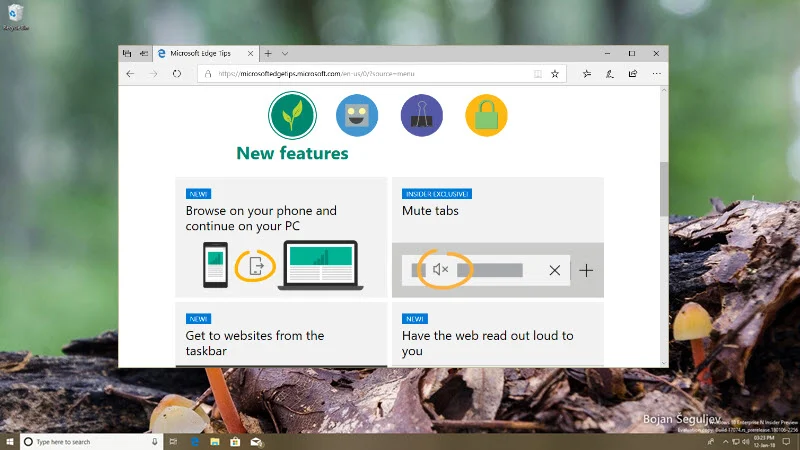
Hub improvements in Microsoft Edge
Microsoft revamped the Hub view of the Microsoft Edge browser to accommodate more content and make it easier for the users to use it. When you click on the 'Hub' icon in Microsoft Edge, it will by default expand the Hub sections listed with the full name of them. Here's a screenshot to refer:
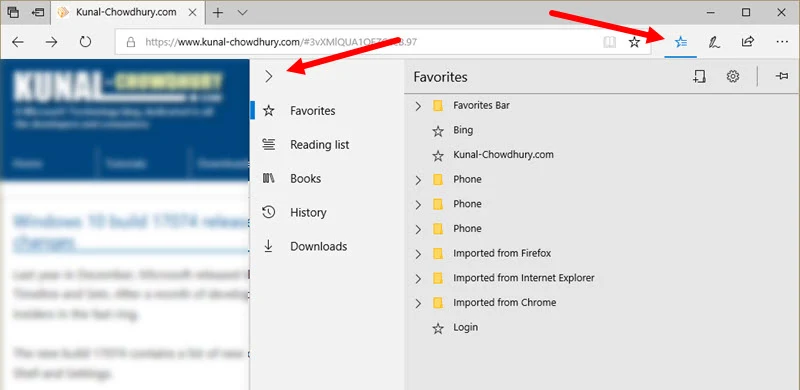
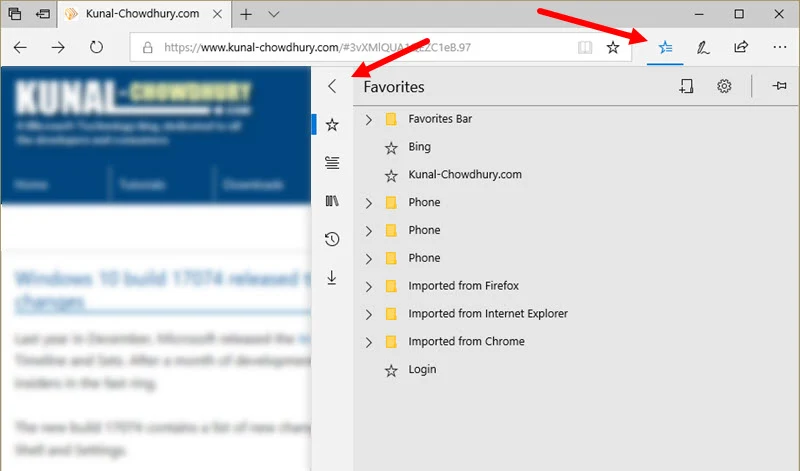
When you want to save space to show more content on screen, you can click the small arrowhead, as shown below, to collapse the Hub Sections:
New reading experience for EPUB and PDF
Microsoft has changed the look and feel of the reading experience of EPUB and PDF within Microsoft Edge browser. With this build, when you open such files in Edge, it will give you a new reading experience.
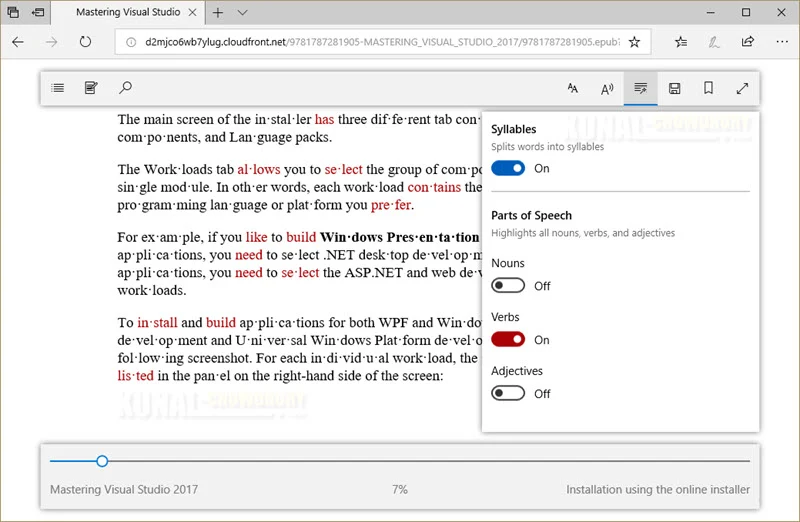
While viewing any EPUB books or websites (in reading view), you can now use the new Grammar Tools button to enable highlighting different parts of speech such as nouns, verbs and adjectives, as shown below:
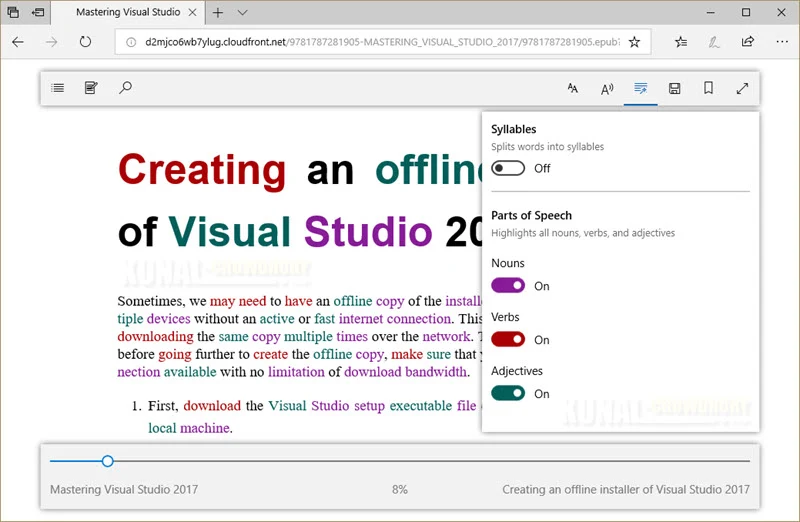
It will also allow you to split the words on the page into syllabus. When you enable this, it will look similar to this:
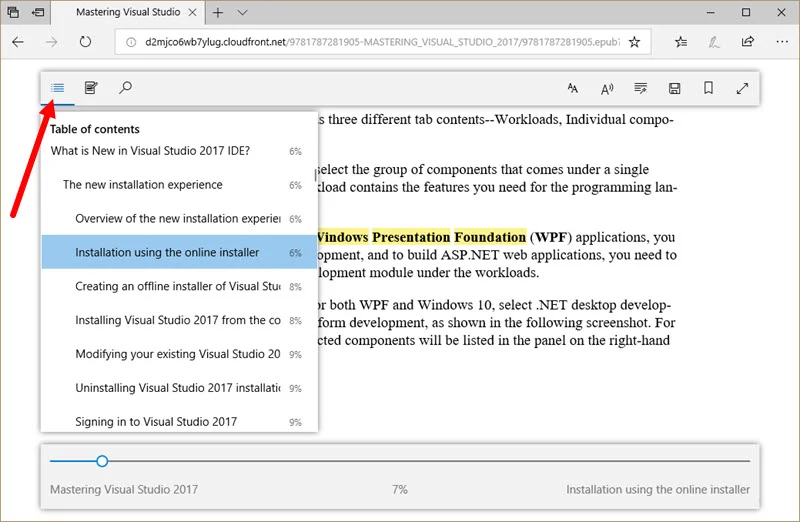
The Table of Contents button in EPUB or in Reading View will list down the contents heading, so that, you can easily navigate between various sections of the content very easily. You can also press Alt + T shortcut to invoke this:
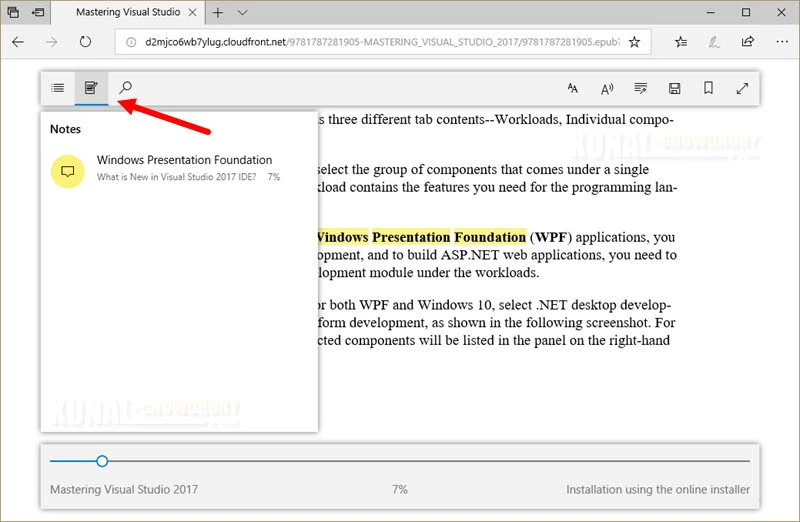
Notes section allows to view the notes already added to the loaded EPUB or the web page opened in Reading View. You can also invoke it by pressing the Alt + A keyboard shortcut key. The notes section will look as below:
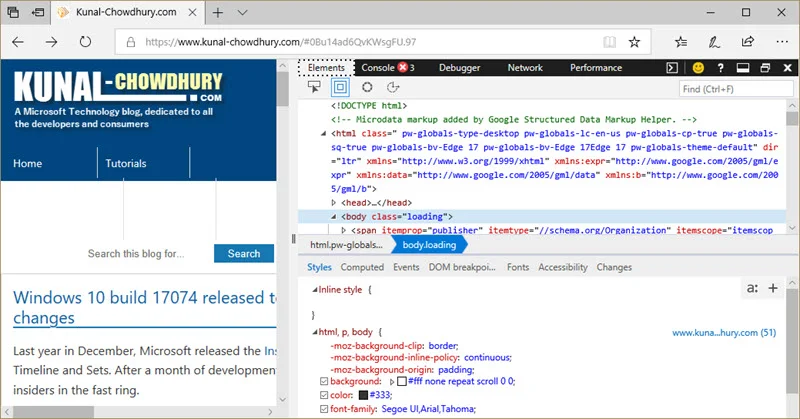
Layout changes for Microsoft Edge DevTools
The DevTools in Microsoft Edge can now be docked vertically. You can click the 'Dock Right' button present at the top-right corner of the tools to toggle the location of docking placement.
Other improvements in Microsoft Edge
Here's a list of other improvements in Microsoft Edge, pushed with Windows 10 Insiders Preview Build 17074, which you can also find in the 'Release Notes' shared on my previous blog post:
- For Store books, reading progress, notes, bookmarks, and annotations will roamed much faster across devices on the same account in near-real-time via WNS.
- Now, in addition to refreshing your library or pinning books to your Start menu, you can see recommendations for new books or filter expired rentals from the current library view.
- On supported books, you can now hear the book read aloud with custom narration, with the publisher's chosen style applied.
- The Favorites Bar will now automatically show on Start and New tab pages, if you have at least one favorite in it.
- When you choose to never save passwords, you shall never be prompted with a save password notification for that site.
- Microsoft Edge now supports auto-filling of saved passwords when browsing InPrivate.
- You can grant individual extensions permission to run in InPrivate from the options menu for the extension.
- Microsoft Edge now supports CSS extensions for OpenType Font Variations.

