GitHub Codespaces is an online integrated development environment (IDE) which includes everything that you need to develop for a specific repository, including a text editor with syntax highlighting and autocomplete, a terminal, debugging tools, and Git commands. Microsoft announced the availability of this new tool to beta testers.
Along with this, the company also announced three more GitHub Collaboration tools. Here's everything that you would like to know about this announcement.
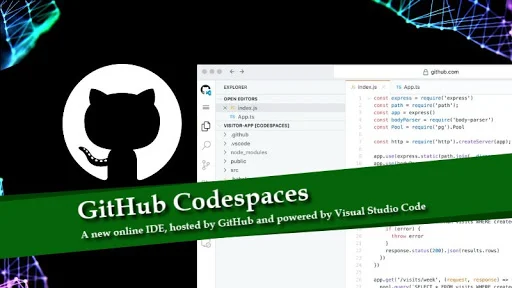
- GitHub Codespaces gives you a fully-featured, cloud-hosted dev environment.
- The tool is now available to beta testers only.
- You can request your early access to this program as a beta tester.
What is GitHub Codespaces?
Earlier this year, Microsoft made GitHub free for teams to ensure cost isn't a barrier for teamwork on GitHub. Now, they have come up with a new browser-based IDE (integrated development environment), called GitHub Codespaces, which is hosted by GitHub and powered by Visual Studio Code.
The codespace includes everything you need to develop for a specific repository, including a text editor with syntax highlighting and autocomplete, a terminal, debugging tools, and Git commands, all within GitHub. You can also install Visual Studio Code extensions in your codespace to add more functionality.
GitHub Codespaces allows you to develop in the cloud instead of locally. Developers can contribute from anywhere, on any machine, including tablets or Chromebooks, and there is no need to maintain local copies of intellectual property.
You can create a default codespace configuration for your repository that determines the environment of every new codespace anyone creates for that repository. The configuration can include frameworks, tools, extensions, and port forwarding.
After you open a codespace, you can develop using Visual Studio Code's features, such as text editing, debugging, and Git commands.
Are GitHub Codespaces available to everyone?
While in limited beta, the GitHub Codespaces will now be available to a small group of GitHub users. Over time, more users will have access to the beta based on availability and sign-up date. If you're in the Codespaces beta, you will see a "Code" button in the Code tab of all supported repositories.
How much does it cost to use GitHub Codespaces?
While it is in the beta stage, the GitHub Codespaces will be available free of cost. The company said that the pricing for Codespaces has not been finalized, but code-editing functionality in the codespaces IDE will always be free. They are currently planning to offer simple pay-as-you-go pricing similar to GitHub Actions for computationally intensive tasks, such as builds.
What is GitHub Discussions?

GitHub Discussions is another collaborative tool announced by GitHub, that makes a new way for software communities to collaborate outside the codebase. Currently, the GitHub offers issues and pull requests as places for these conversations, but this tool will bring discussions as threaded and live inside users' project repositories. It is now available in the beta stage to selected open source communities and will be available to other public repositories soon.
What is code scanning and secret scanning?
GitHub adds further security to your team's repositories with code scanning and secret scanning. Code scanning, which is now available as a GitHub-native experience, scans every git push for potential security vulnerabilities, with results displayed inside a pull request. It uses the CodeQL semantic analysis engine. Though code scanning will be free for all open-source projects, now any public projects can sign up for the beta testing.

On the other hand, Secret Scanning, aka. token scanning is now available for private repositories. It watches private repositories for known secret formats and immediately notifies developers when they are found.
Code scanning and secret scanning are available for free for all public repositories, and available as part of GitHub Advanced Security.

What are the GitHub Private Instances?
GitHub Private Instances is a new fully-managed option for enterprise customers, which provides enhanced security, compliance, and policy features including bring-your-own-key encryption, backup archiving, and compliance with regional data sovereignty requirements. As mentioned by GitHub, the private instances are going to come soon.


