Microsoft is continuously improving their Edge browser, and the team is now bringing a new feature called "Workspaces". Just like the tab groups feature in Google Chrome, the Edge Workspaces were designed to improve the manageability of tabs.
A set of tabs opened for a specific task can now be grouped into a workspace. The feature is currently being tested in Microsoft Edge Canary build, and here's how you can enable it.
How to enable the Workspaces feature in Microsoft Edge (Chromium)
Microsoft Edge Workspaces feature is hidden behind a command line parameter --enable-features=msWorkspaces. To try out this feature, make sure that you have the Microsoft Edge Build 91.0.852.0 or higher running on your system. Now, open the "Run" dialog (Win + R) and enter the following command:
msedge --enable-features=msWorkspaces
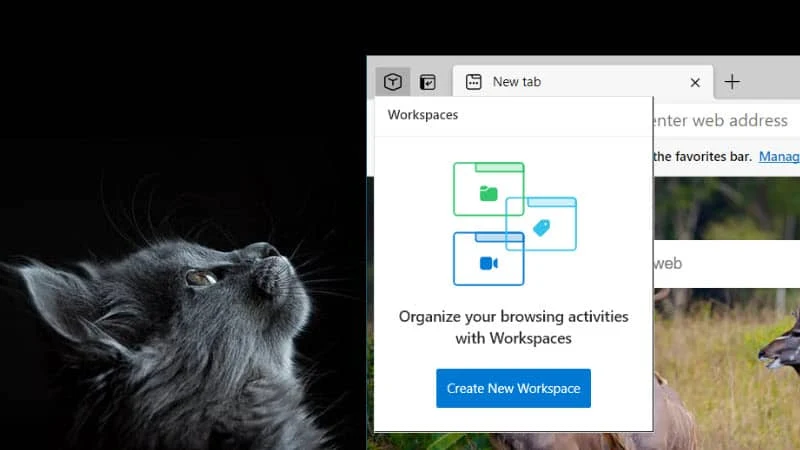
Now, at the top-left corner of the Microsoft Edge browser, you will find the Workspaces icon. Click on it to display the Workspaces menu. From here you can create a new workspace and manage an existing workspace.
While creating a new workspace, you can specify a custom name and a color to easily identify the Microsoft Edge window. All tabs that are already opened in the browser window will be grouped into the new workspace.
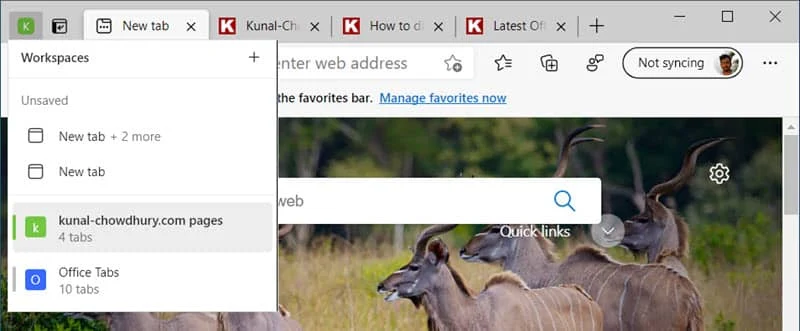
If you close a tab in a workspace, it will be removed from the said workspace. However, if you close the workspace window, it will be saved. You can open it again next time when you start your browser by navigating to the Workspaces icon.

