If you are running Microsoft Office Version 2011 - Build 13416.10000 or higher, that introduced a feature that automatically offers you short suggested responses while replying to an email in Microsoft Outlook client. This makes it easier while replying to an email that needs just a few words.
Though it was a useful feature, not all users want to see these suggested replies. So, with the latest Microsoft Office Version 2108 Build 14301.20004, the company added an option to turn the feature off.
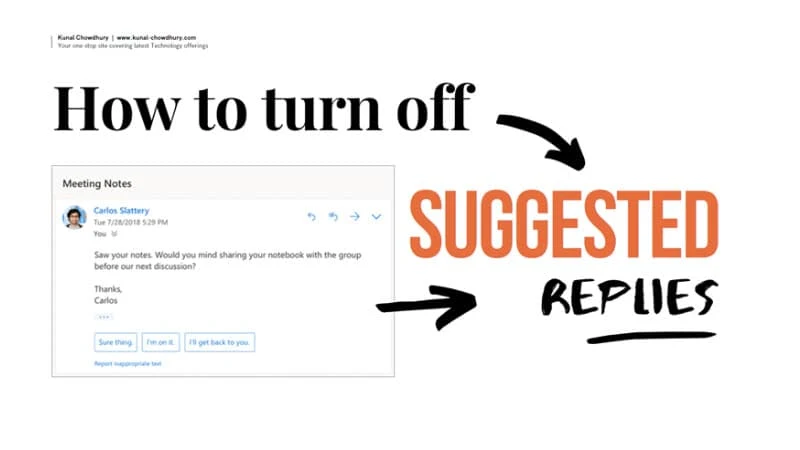
How to turn off suggested replies in Outlook client
To turn off the suggested replies in Microsoft Outlook client, follow the steps as mentioned below:
- Open your Microsoft Outlook client.
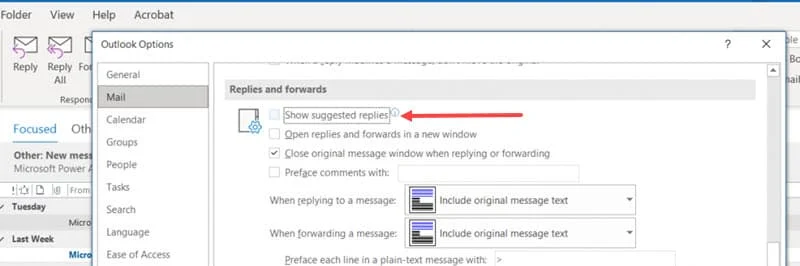
- Now go to File > Options > Mail.
- Then go to the Replies and Forwards section.
- Clear the Show suggested replies check box as shown in the following screenshot.
- Click OK to continue.
Issues fixed in Microsoft Office Version 2108 (Build 14301.20004)
Office Suite
- We fixed an issue where added DropShadow properties on the search box caused the TitleBar to be too tall, creating layout bugs.
Word
- We fixed an issue related to print size being too small in Word Mobile.
- We fixed an issue where a file added to a SharePoint document library would inherit the setting “ShowDocument Information Panel” immediately after opening, and it would remain if the file was removed from SharePoint.
- We fixed an issue where a folder name not ending with “/” was being incorrectly interpreted by the URL parser.
Excel
- We fixed an issue where localized function names will now be recognized when opening CSV files.
- We fixed an issue where a PowerPoint-linked file became unavailable when the source .xlsx file is already running in the background and both files are opened from the ODB local synced folder.

